Outlook की speed को कैसे increase करे?
 अगर आप Microsoft Outlook के किसी भी version जैसे 2010, 2013 या 2016 मे काम कर रहे है और आपको लगता है की Outlook slow open हो रहा है या slow run कर रहा है तो आप निचे दिए गए tips को follow करे | ये steps outlook की speed increase करने मे जरूर help करेंगे –
- Check your published and shared calendars – अगर आपके outlook मे आपने एक से ज्यादा account configure कर रखे है एवं उनको share किया हुआ है तो आपका outlook slow हो सकता है | आप एक से ज्यादा account की बात छोड़ दे और अगर एक केवल एक account भी configure और share किया हुआ है तो भी outlook slow हो सकता है क्योकि जैसे ही आप calendar share करते है तो आपके calendar से data server पर upload and download होता है | जैसे ही आप एक से ज्यादा calendar share करते है आपके outlook से ज्यादा data push and pull होता है जो की outlook को slow कर सकता है इसलिए अगर जरुरत न हो तो calendar को share करने से बचे |
- Disable Add-ins : बहुत बार ऐसा होता है की जब आप कोई software आपके computer पर install करते है तो outlook से related add-ins outlook मे add हो जाते है | कई बार देखा गया है की ये add-ins outlook को slow करने का काम करते है | इसलिए आप outlook के options मे जा कर unnecessary add-in को identity करे और उनको outlook से remove कर देवे |
- Cached Exchange Mode vs Online mode – अगर आप Online mode use कर रहे है तो आपका outlook हमेशा internet पर depended रहता है क्योकि outlook के पास अपना कोई data local computer पर store नहीं रहता | इसलिए cache exchange mode use करना better है क्योकि अगर internet speed slow भी हो तो भी आपका outlook slow नहीं होगा |
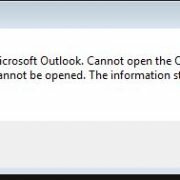
- Repair PST file – अगर आप PST file मे mails को store कर रहे है तो SCANPST tool को use करके PST related errors को repair कर सकते है | यह data file को scan करके data errors को repair कर सकता है |
- Windows update – अगर आपने लम्बे समय से windows update नहीं किये है तो आपको regularly windows update करते रहना चाहिए क्योकि window updates के साथ MS office के updates भी आते है जिसमे Outlook से related updates भी हो सकते है | Outlook or exchange related update outlook के software related problems को दूर कर सकते है |